Envoy Desks
Getting in was only half the problem.
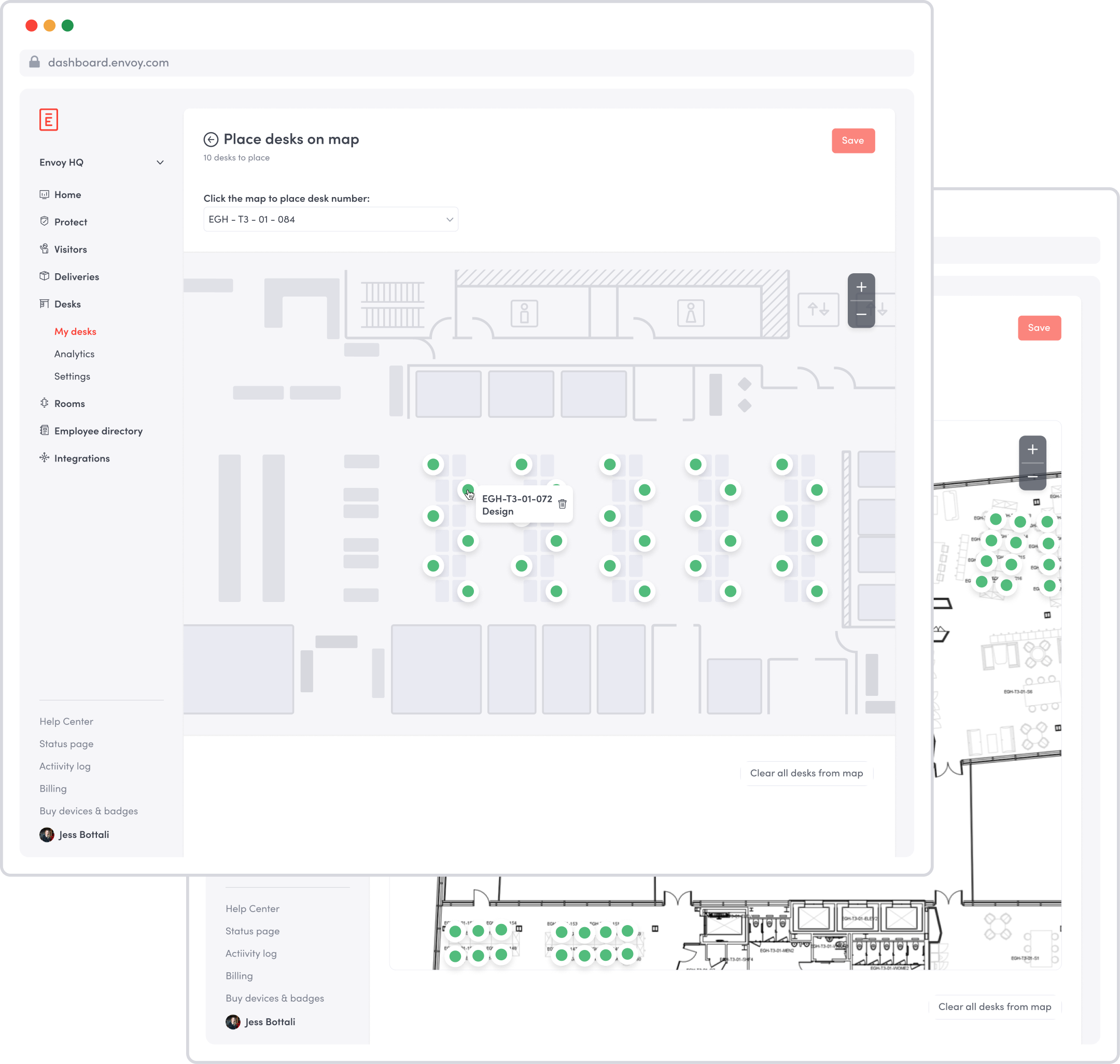
Some employees still needed office equipment or a quiet place to work during COVID. Envoy Protect managed permission to enter, but admins also needed to know where people would sit so they could support distancing, cleaning, and contact tracing.
We prioritized safety and clear expectations over the flexibility of a typical hot-desking product, while keeping the employee’s daily check-in simple.
Start with a seat, not another decision.
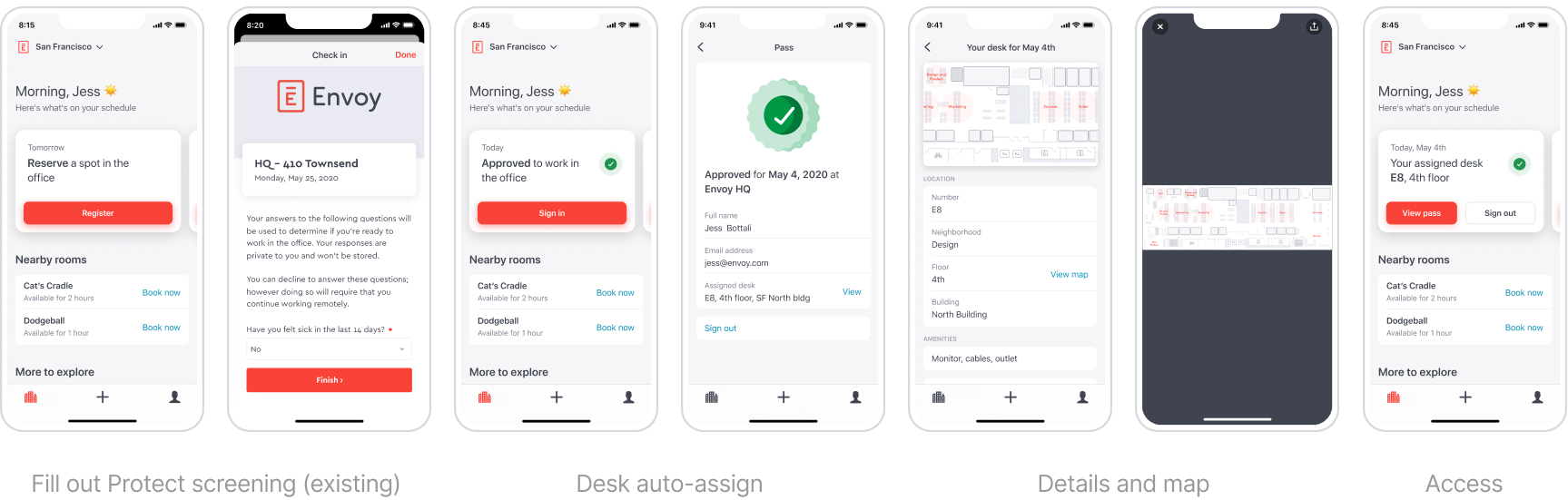
I worked with early customer partners to test concepts and meet their office-reopening timelines. We reused existing components and connected desk assignment to Protect approval rather than creating a separate booking flow.
Employees were automatically assigned a desk, generally the same one each time. Admin-uploaded maps and desk details helped them find it. Full-day reservations kept cleaning expectations simple.
A map isn’t useful unless you can find your desk.
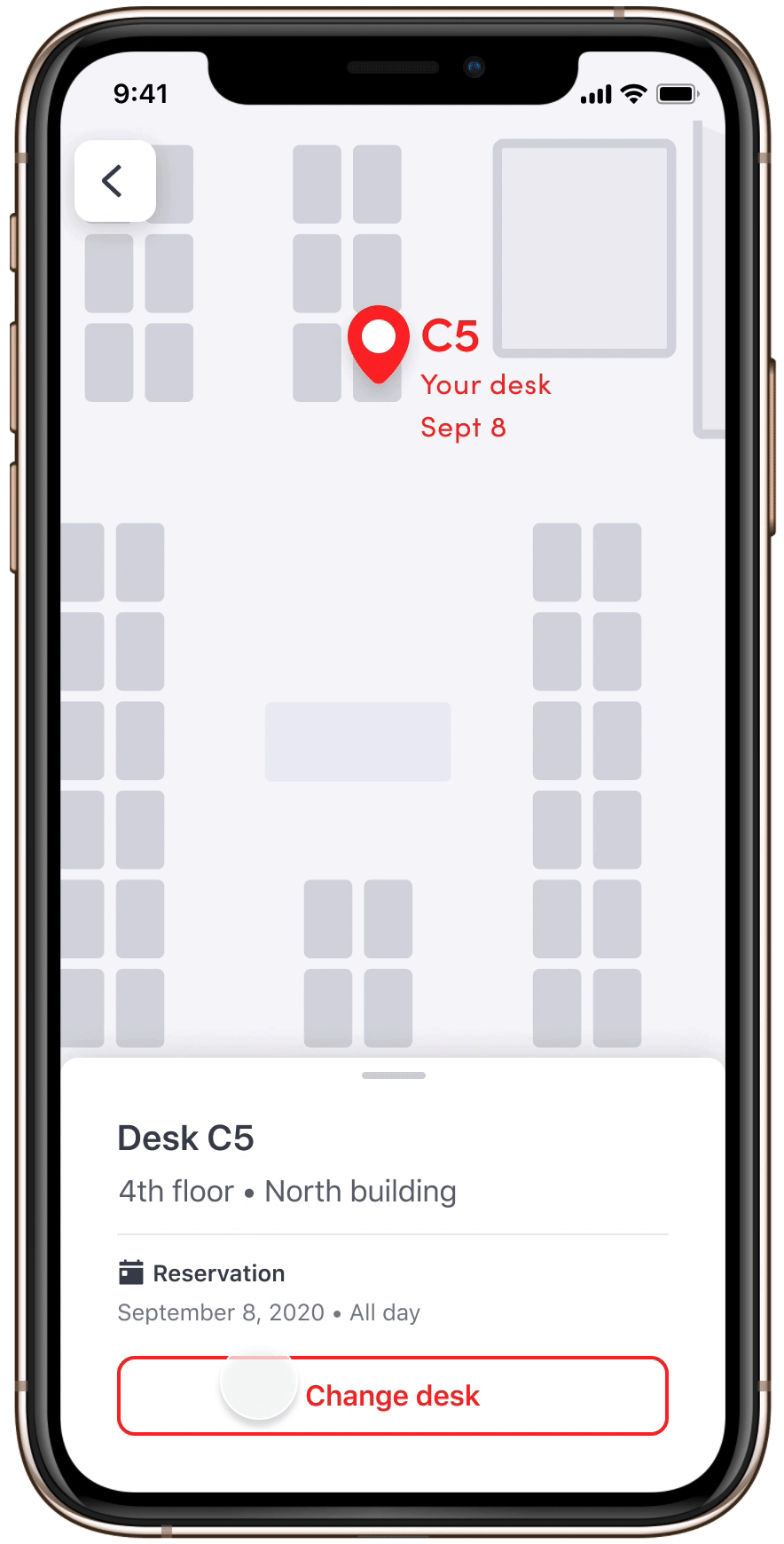
Customer maps varied from detailed CAD files to sparse PDFs. Static images didn’t consistently show employees where to go. People also needed to move for equipment, noise, or proximity to teammates.
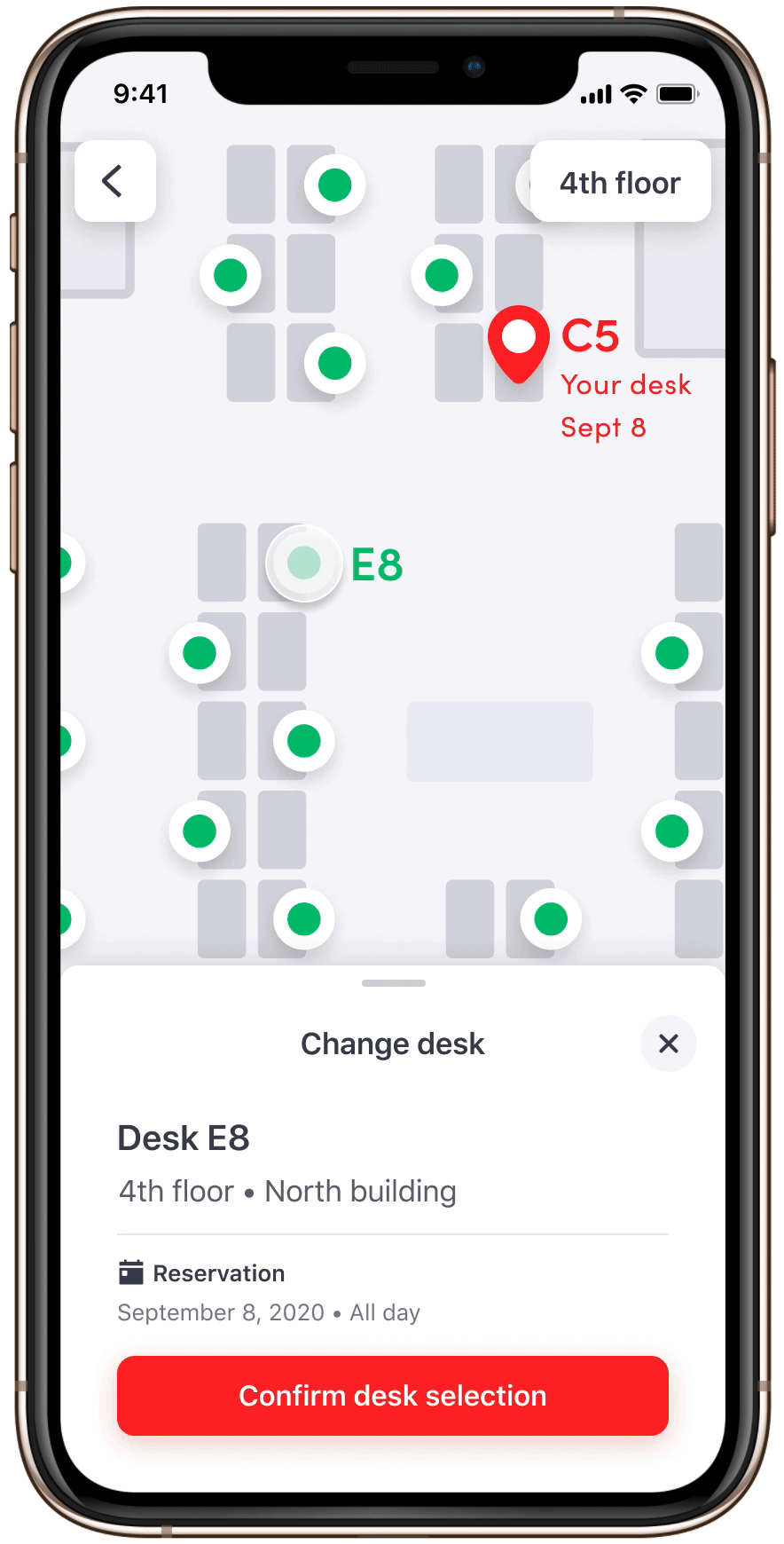
We introduced an interactive desk layer over each company’s map and let employees change seats, while retaining automatic assignment as the default. A vacated desk stayed unavailable until the next day’s cleaning—a deliberate tradeoff of availability for safety.
Early use validated the need for wayfinding.
desk reservations, averaging roughly 400 per day.
companies with reservations—about 30% of those trialing Desks.
desks placed on floor maps, representing 60% of uploaded desks.